
How to Install IPTV on Samsung & LG Smart TV
This guide walks you through the full IBO Player setup on your Samsung or LG Smart TV — installing the app, reading the MAC address and Device Key, activating on iboplayer.com and loading your 8K IPTV Strong playlist. Every 12-month 8K IPTV Strong plan includes the IBO Player device activation free for 12 months.
Before you start
- A Samsung Smart TV (Tizen) or LG Smart TV (webOS)
- Active 8K IPTV Strong subscription details (Xtream Codes API or M3U link)
- Internet connection of at least 30 Mbps
- Annual plans: send us the TV MAC address and Device Key after ordering — IBO Player activation is included free for 12 months
Step by step
-
Install IBO Player from the TV app store
On a Samsung Smart TV press Home, open Apps and search for IBO Player. On an LG set open the LG Content Store and search for IBO Player. Install it — the app itself is free and takes under a minute on a 2019-or-newer set. Samsung and LG owners can go straight to step 3; Android TV, Fire TV and TV box owners should use the Downloader method in step 2 instead.
-
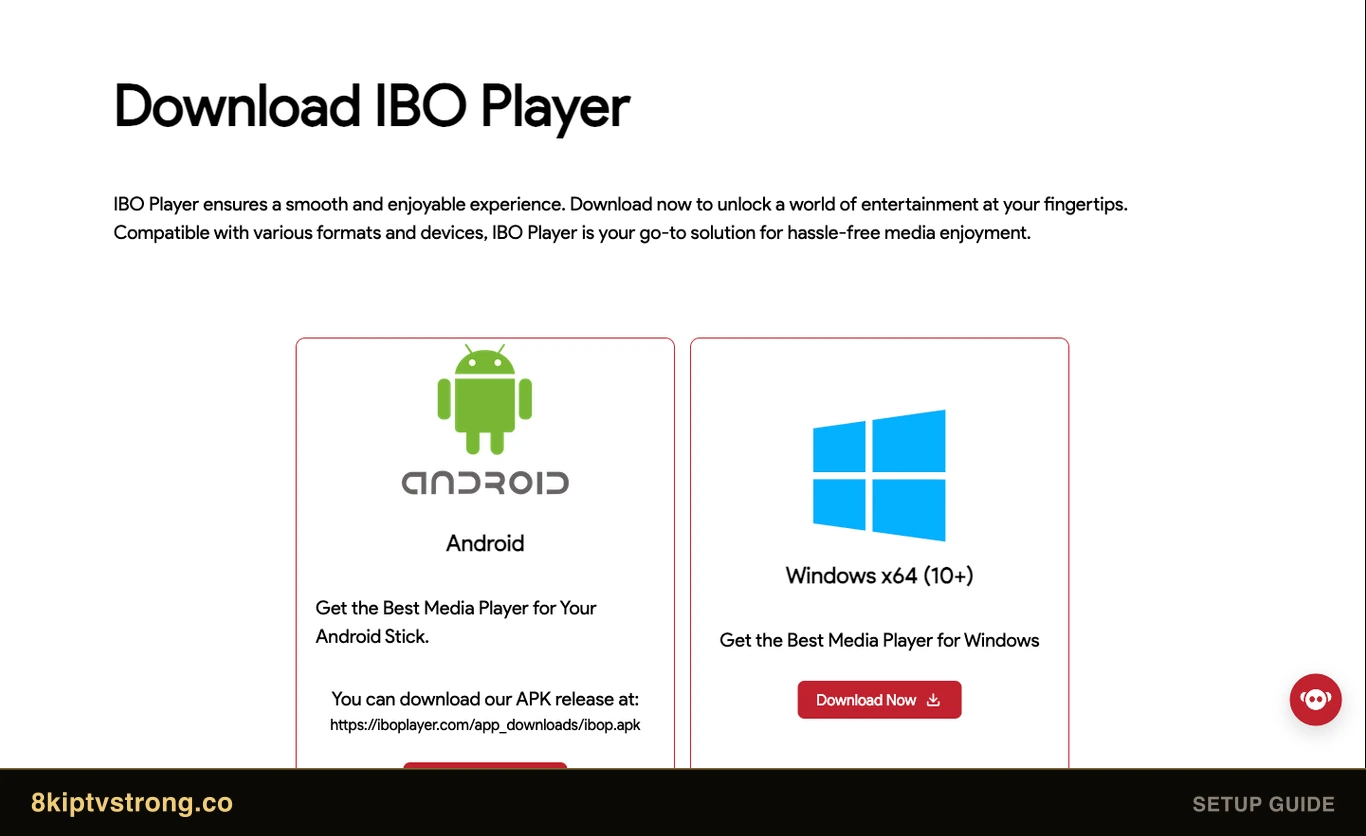
Or install IBO Player with the Downloader app
Android TV, Google TV, Fire TV Stick and TV boxes only. Install Downloader from the Amazon Appstore or the Google Play Store, open it and allow "Install unknown apps" when it asks. Type the direct link iboplayer.com/app_downloads/ibop.apk into the URL field and press Go. The 78 MB file downloads in a minute or two, the installer opens automatically and IBO Player appears in your apps row. Samsung and LG owners skip this step.
-
Open IBO Player and note the MAC address and Device Key
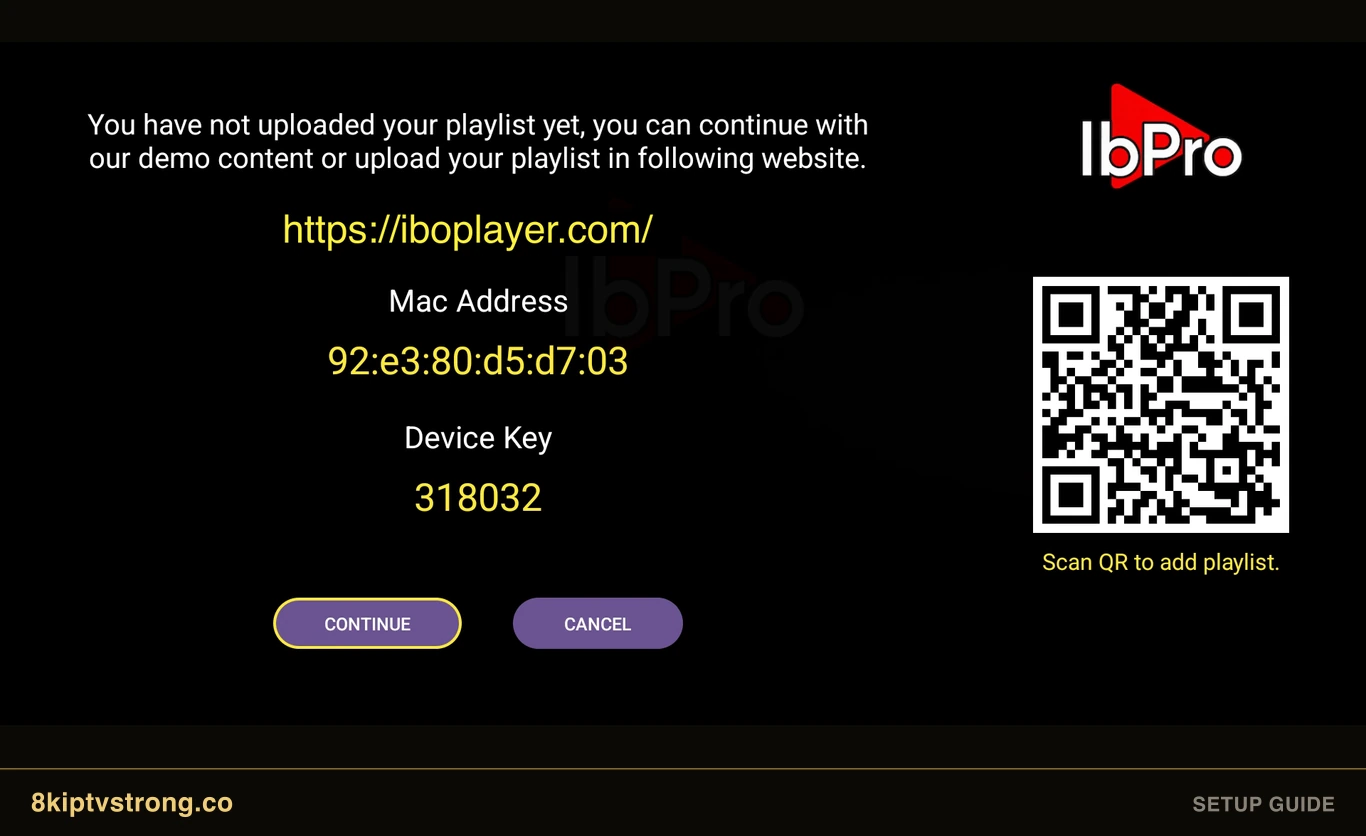
Launch IBO Player. The first screen shows the activation website iboplayer.com, a MAC address such as 92:E3:80:D5:D7:03 and a Device Key. Leave this screen open — you need both codes in the next step, and reinstalling the app can change them.
-
Log in on iboplayer.com
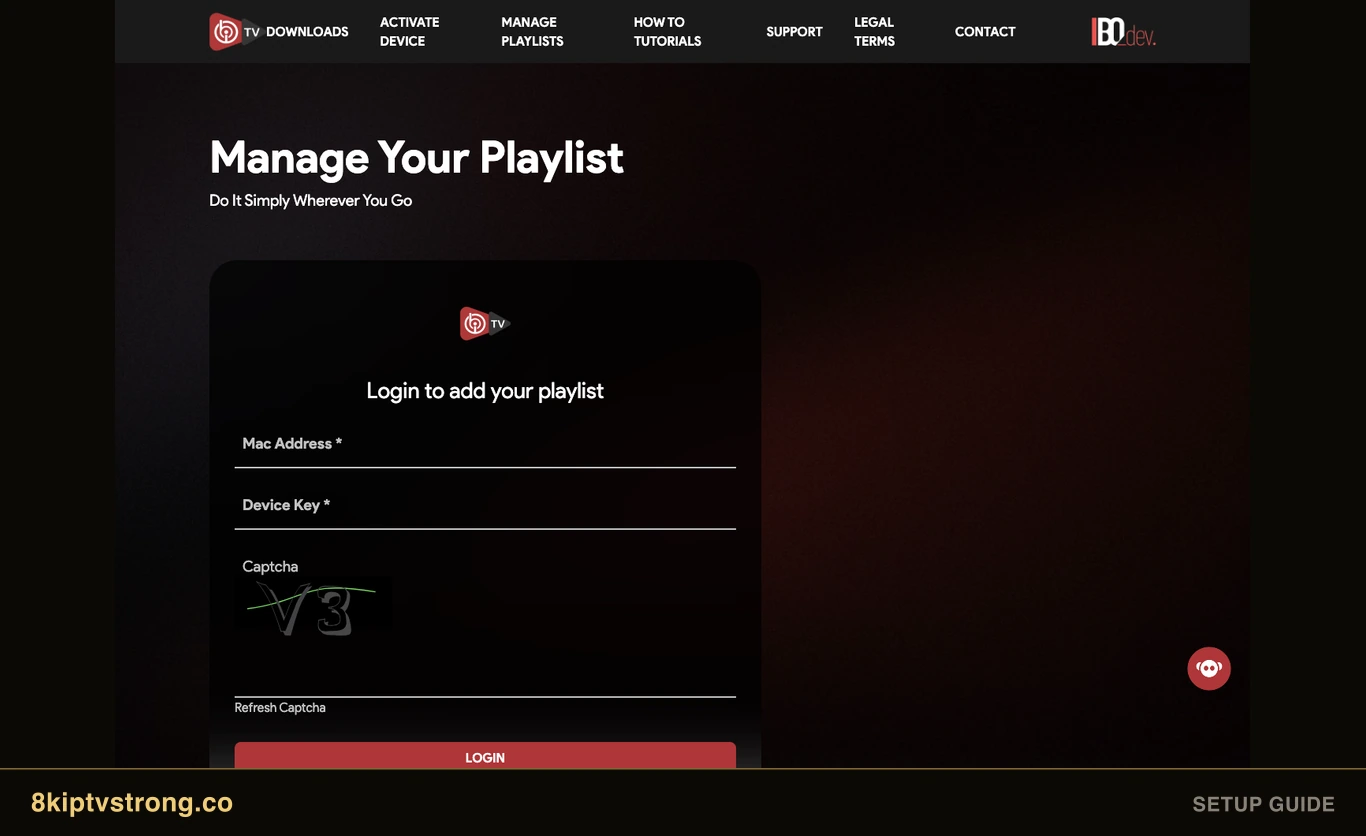
On your phone or laptop go to iboplayer.com and choose Manage Playlists. Type the MAC address exactly as the TV shows it, enter the Device Key, solve the captcha and press LOGIN. The dashboard that opens is the remote control for the playlist on this TV.
-
Add your 8K IPTV Strong playlist
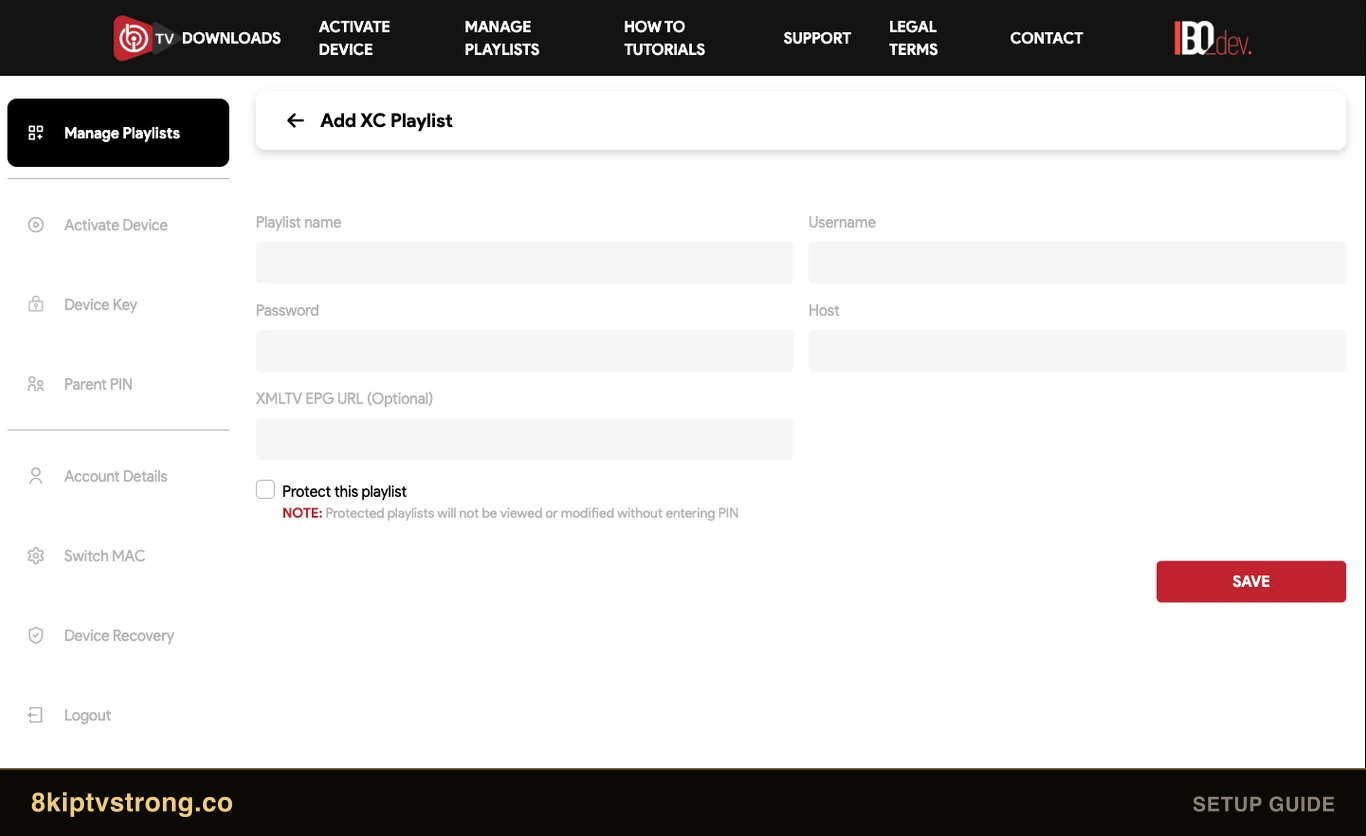
On the dashboard select Add XC Playlist and fill in the playlist name, the Host (server URL), username and password from your 8K IPTV Strong welcome email. This is the Xtream Codes route and it loads the channel list, EPG and catch-up automatically. If you were given one long M3U link instead, use Add Playlist and paste it into Playlist URL — it must start with http:// or https://. Press SAVE and the playlist appears under the TV MAC address.
-
Activate IBO Player — free for 12 months on annual plans
IBO Player normally charges a one-time device activation of about €10 for the Device Key licence. You do not pay it: every 12-month 8K IPTV Strong subscription includes the IBO Player activation free for 12 months. After ordering, send the MAC address and Device Key from step 3 to our support team and we activate the device for you — no card and no second checkout. On 1-month and 3-month plans the activation can be added separately if you want it.
-
Reload IBO Player on the TV
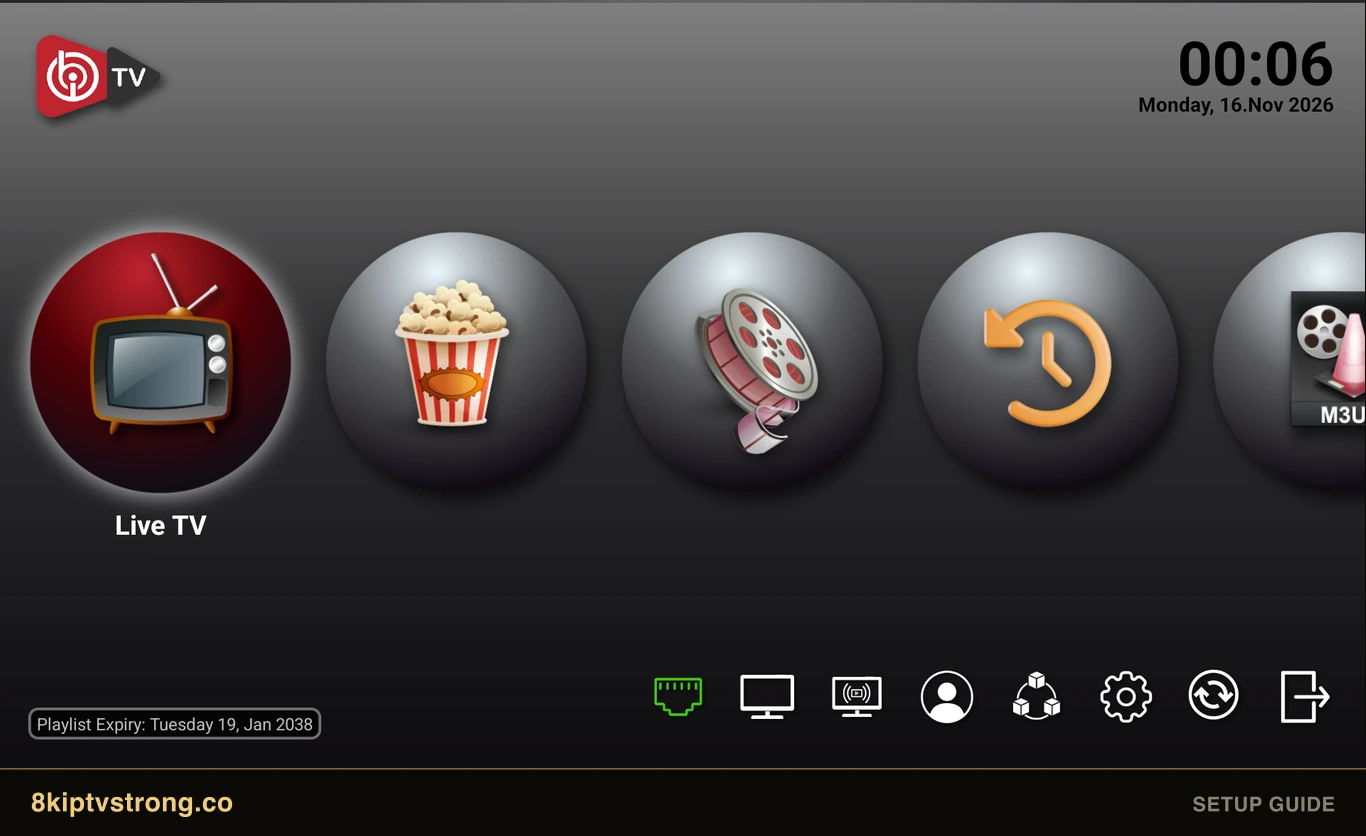
Back on the TV, close IBO Player completely and open it again, or select the Reload tile on the home screen. The app downloads the channel list, the EPG and the VOD library from the portal; the first sync takes 30 to 60 seconds. IBO Player then shows its home screen with Live TV, Movies, Series and M3U tiles, and your playlist expiry date is printed in the bottom-left corner.
-
Open Live TV and pick a channel
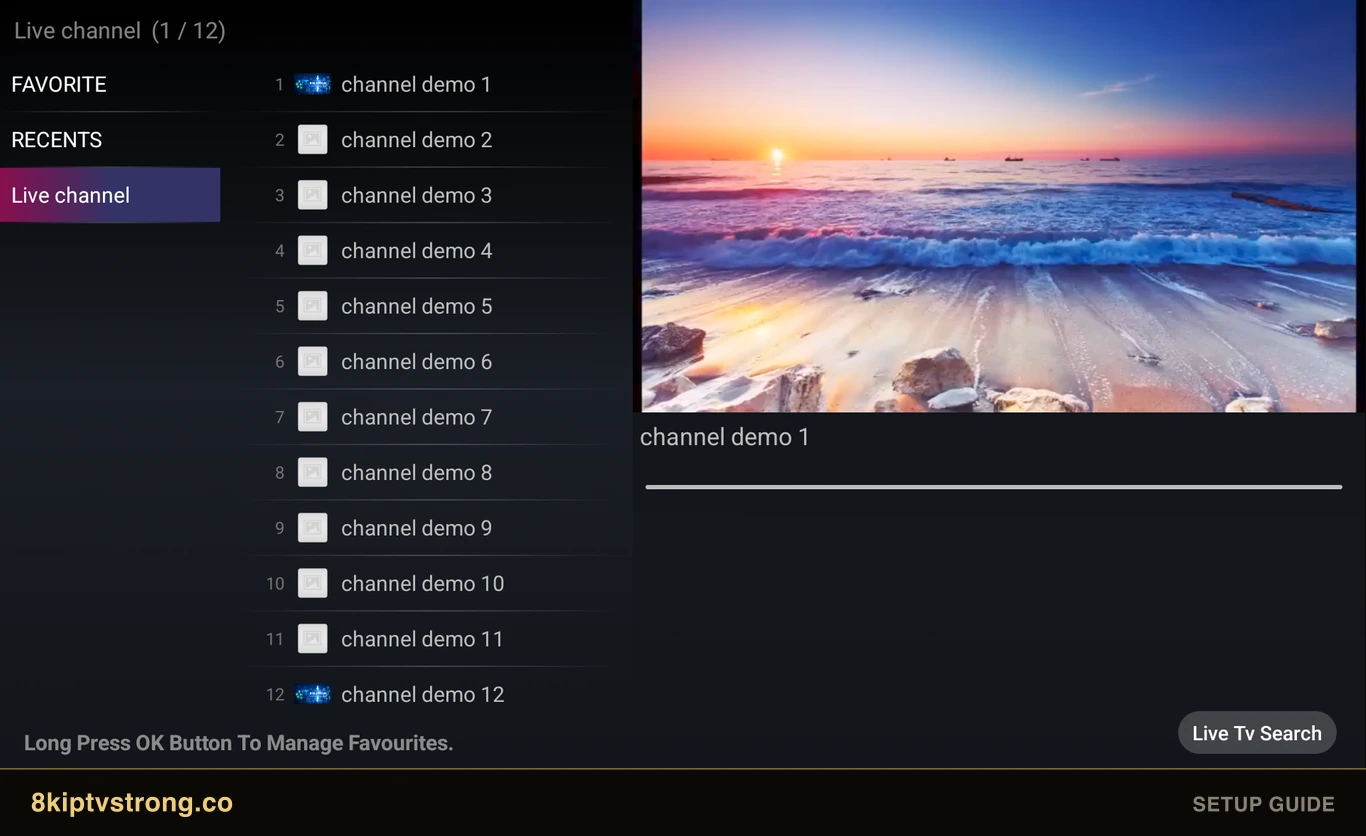
Select Live TV. The left-hand panel lists your categories — Favourite, Recents and the full Live channel list — and the preview plays on the right as you move down. Press OK on a channel to watch it full screen, and long-press OK to save it to Favourites. Movies and Series work the same way, with posters and catch-up where the provider supports it.
Samsung & LG Smart TV setup not working?
These are the failures that account for almost every support message, listed in the order they turn out to be the cause.
-
App is not in the TV app store
Change your TV region in the settings to United States or United Kingdom, or use an external device such as a Firestick or Apple TV and install IBO Player with the Downloader app.
-
The TV says the device is not activated
This is the IBO Player Device Key licence, not your subscription. On a 12-month plan it is free — send the MAC address and Device Key to support and we activate the device. On shorter plans the activation can be purchased in the app.
-
Streams buffer or drop connection
Connect your TV with an Ethernet cable instead of Wi-Fi, or switch to 5 GHz Wi-Fi if cable is not possible.
Make it work better
- Use Ethernet over Wi-Fi for uninterrupted 4K and 8K playback.
- Log in with Xtream Codes API instead of M3U for faster EPG and channel loading.
- Do not pay the €10 activation inside IBO Player on a 12-month plan — support activates the Device Key for you at no extra cost.
Common questions
Which Smart TV app is best?
IBO Player is the most reliable option on both Samsung Tizen and LG webOS, and it is the app used in the screenshots above. Sign-in is handled on its portal, iboplayer.com. On Android TV and Google TV boxes you can also use IPTV Smarters Pro.
Is the IBO Player activation free?
The app is free to install, but IBO Player charges a one-time device activation of about €10. Every 12-month 8K IPTV Strong plan includes that activation free for 12 months: order the plan, send us the TV MAC address and Device Key, and we activate the device. On 1-month and 3-month plans it can be added separately.
Can I install IBO Player with the Downloader app?
Yes, on Android TV, Google TV, Fire TV and TV boxes. Install Downloader, allow it to install unknown apps, then enter iboplayer.com/app_downloads/ibop.apk and press Go. Samsung and LG televisions install IBO Player from their own app stores instead, because their platforms do not run sideloaded APKs.
Can I use M3U instead of Xtream Codes?
Yes, but Xtream Codes API is recommended because it handles category organization and electronic programme guides much faster.