
How to Setup 8K VIP IPTV Player
Unlock the full potential of your 4K or 8K display with our bespoke player featuring built-in HDR tone mapping and zero-buffer technology.
Before you start
- 8K VIP IPTV Player app installed
- Active 8K IPTV Strong subscription
Step by step
-
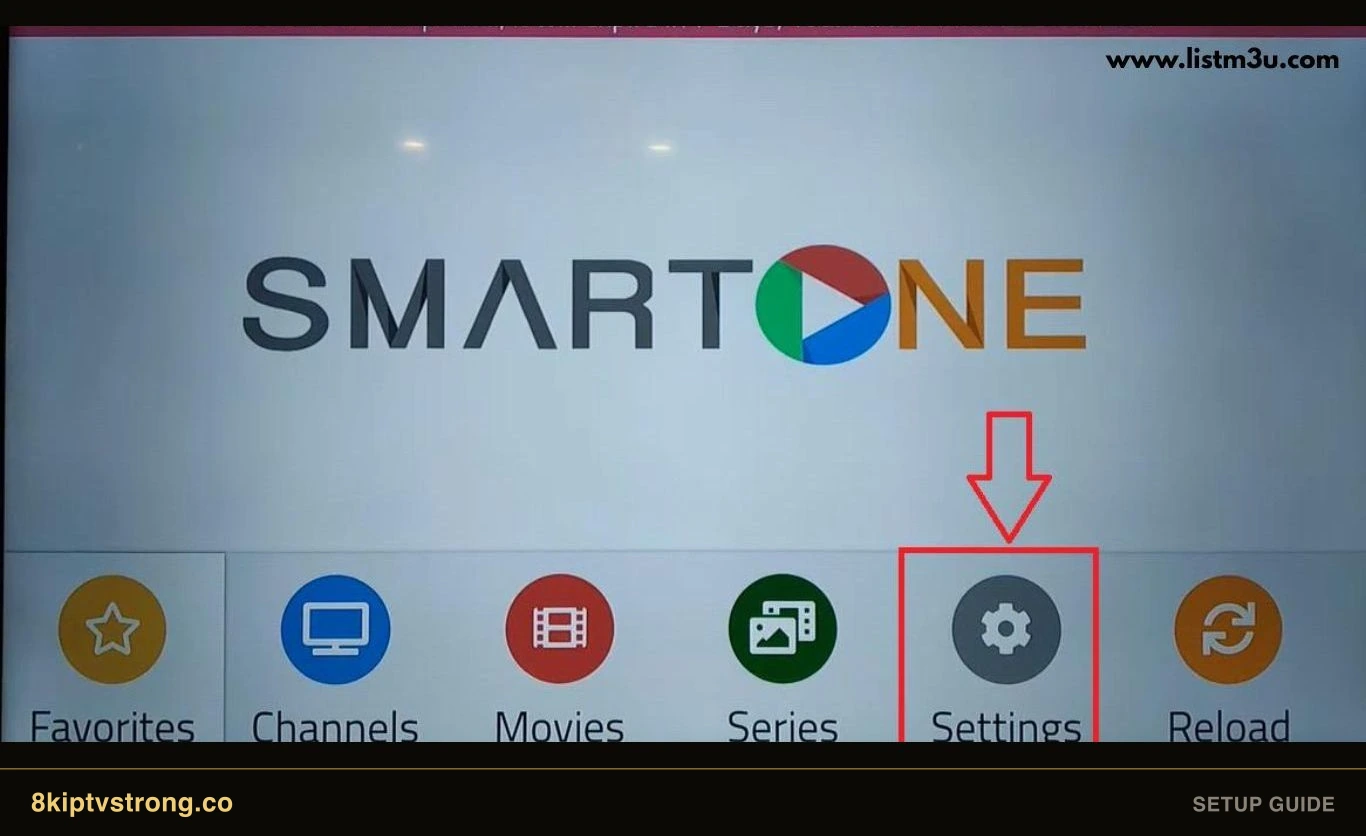
Launch 8K VIP Player
Open the app from your device home screen.
-
Enter your Xtream API details
Input your server URL, username, and password into the secure login prompt.
-
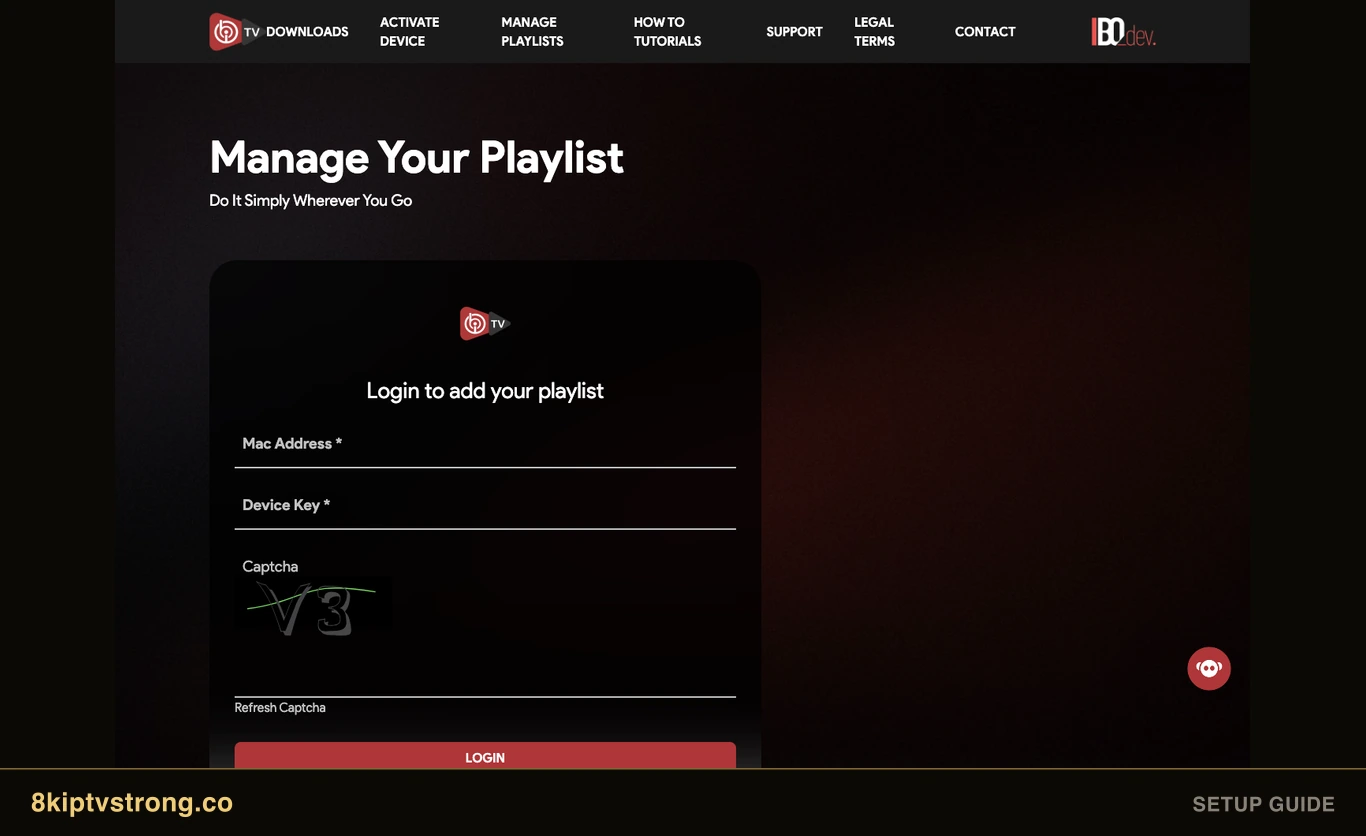
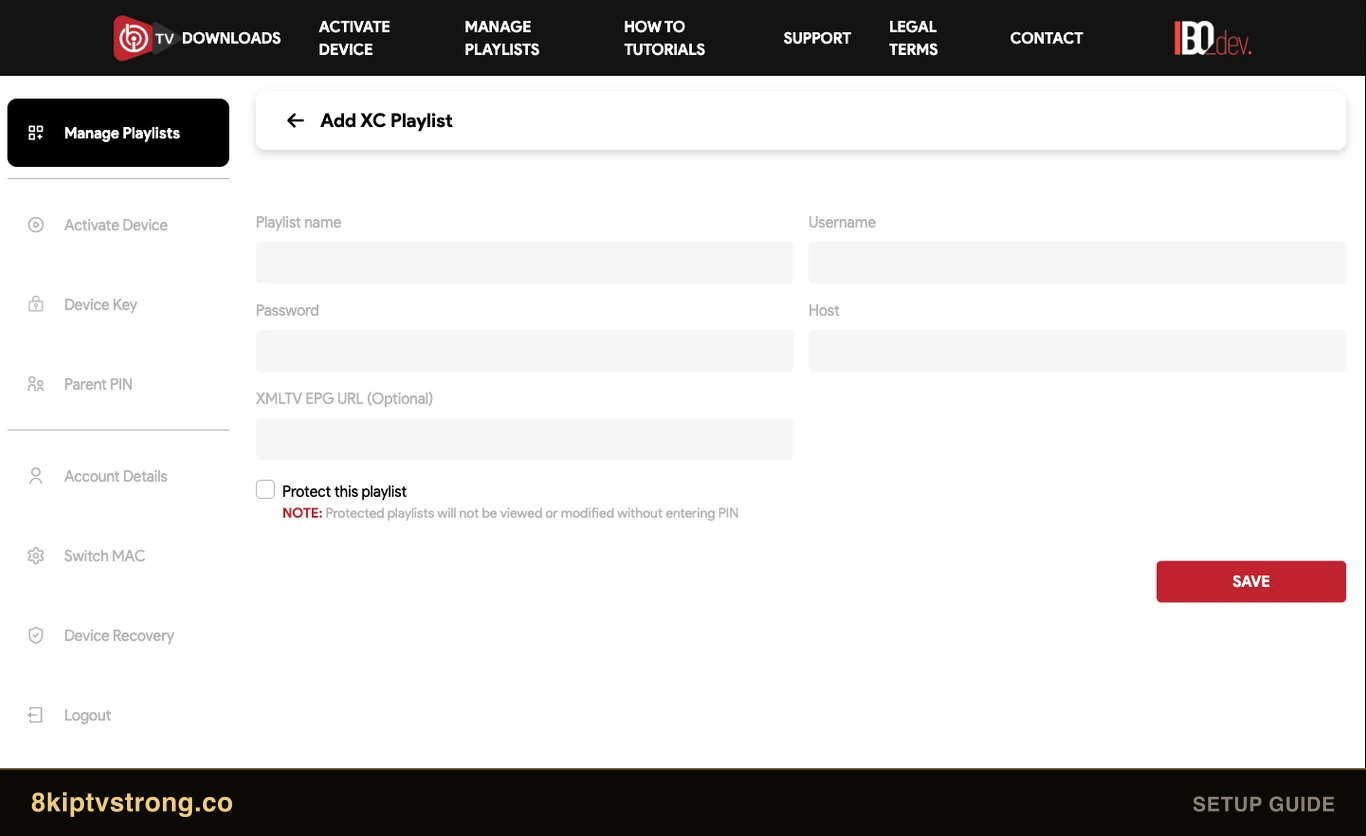
Add your playlist and enable 8K HDR
Sign in at iboplayer.com with the MAC address and Device Key, choose Add XC Playlist and enter your server URL, username and password. Then open the player settings on the TV and enable hardware acceleration and 8K HDR passthrough for the highest possible picture quality.
8K VIP IPTV Player setup not working?
These are the failures that account for almost every support message, listed in the order they turn out to be the cause.
-
HDR colors appear washed out
Toggle HDMI UHD Color / Enhanced Format ON in your TV input settings.
-
Login authentication fails
Confirm your subscription includes VIP Player access, or request fresh credentials from customer support.
Make it work better
- Enable Hardware Acceleration to reduce CPU load and prevent frame drops during 60 FPS live sports.
- Set cache size to "High" if using an active fiber connection for instantaneous channel switching.
Common questions
Is the 8K Player free with my subscription?
Yes, 100% free for all active 8K IPTV Strong subscribers.