
IPTV on Samsung Smart TV: 2026 Setup Guide
Install an IPTV player on any Samsung Smart TV from 2016 onward, register the device MAC address, upload your playlist and fix the errors that stop playback.
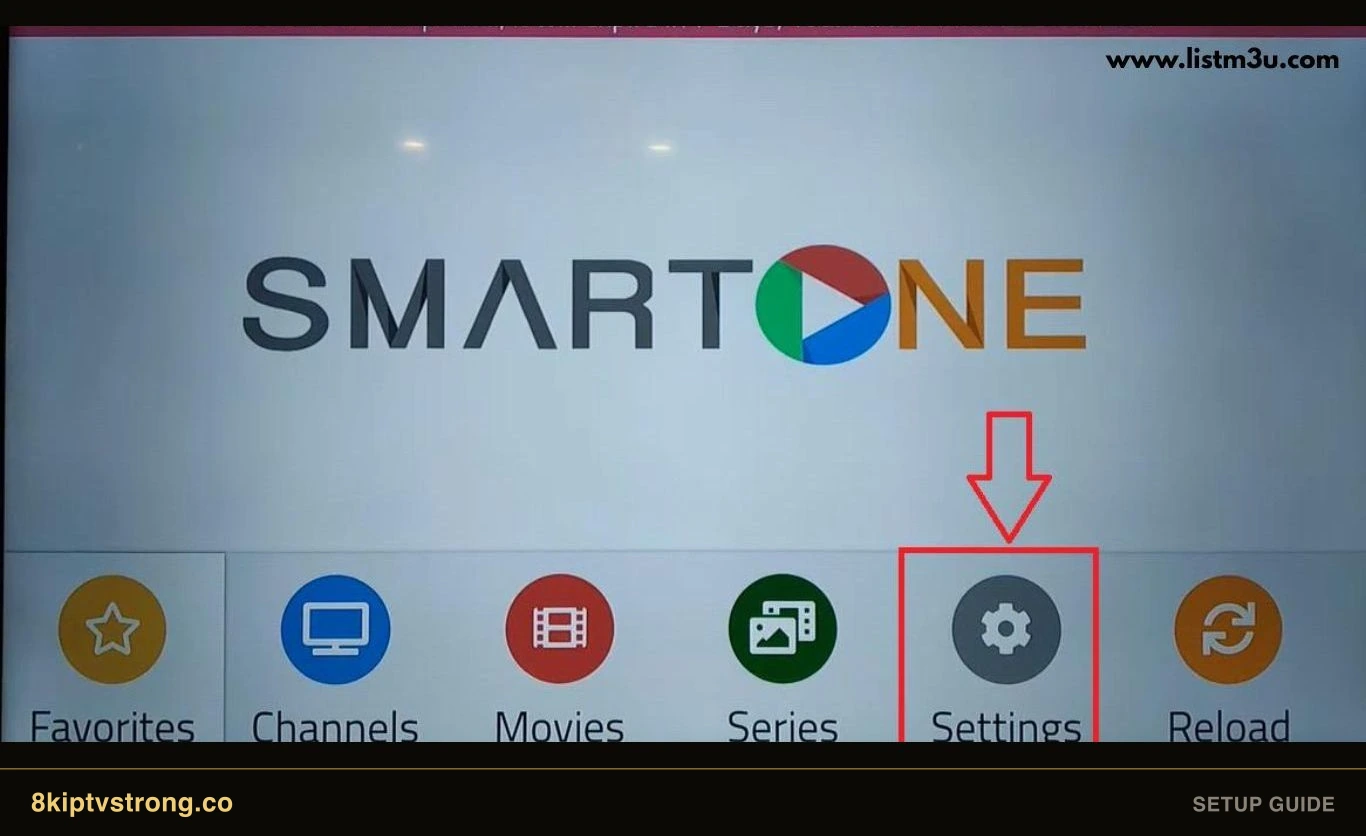
Samsung was the first major TV brand to ship IPTV apps inside its own store, and the Tizen platform on a 2017-or-newer set is genuinely one of the easiest places to run a subscription. The whole process takes about ten minutes, and most people are watching right after it.
This guide covers every Samsung generation from 2016 to the 2026 models, plus the two errors that cause most failed setups.
What you need before you start
- A Samsung Smart TV running Tizen (2016 or newer)
- Your IPTV credentials — either an M3U link or an Xtream Codes username, password and server URL
- The TV connected to the internet, preferably by cable or on the 5 GHz Wi-Fi band
If you only have a very old Samsung set from 2015 or earlier, it runs the retired Orsay platform and no longer receives new apps. Use a Fire TV Stick or an Android box in one of the HDMI ports instead — see our Fire TV Stick setup guide for the sideloading route, and the picture will be identical.
Step 1 — Install an IPTV player from the Samsung store
Press Home on the remote, scroll to Apps, and open the search field. The three players that work reliably on Tizen are:
| Player | Best for | Notes |
|---|---|---|
| Smart IPTV | Fastest setup | One-time activation fee, paid per device |
| IBO Player | Best channel guide | Stable EPG, good catch-up support |
| Set IPTV | Free to try | Simpler interface, fewer advanced options |
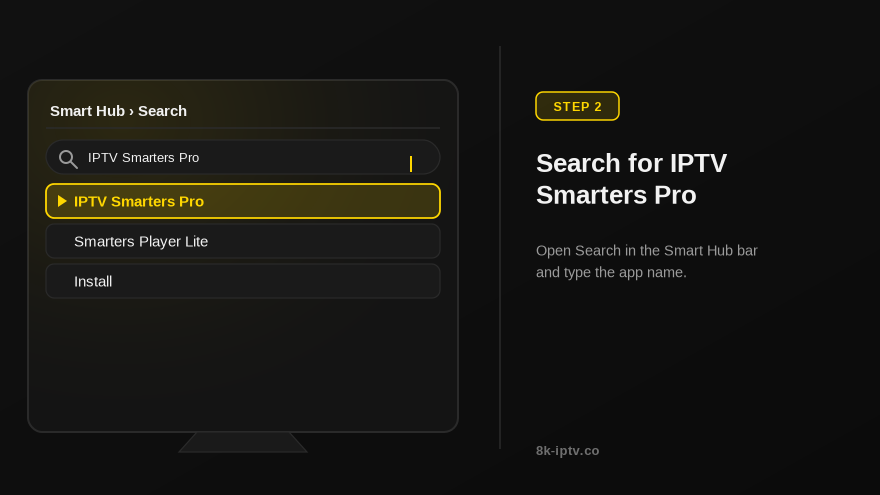
Pick one and install it. On 2019-and-newer sets the install takes under a minute; older Tizen versions can take two or three.
Or install IBO Player with the Downloader app
Samsung and LG sets take the app from their own store. On Android TV, Google TV, a Fire TV Stick or a TV box you install it with Downloader instead:
- Install Downloader from the Amazon Appstore or the Google Play Store.
- Open it and allow Install unknown apps when it asks.
- Type
iboplayer.com/app_downloads/ibop.apkinto the URL field and press Go. - The 78 MB file downloads in a minute or two, the installer opens and IBO Player appears in your apps row.
That direct link is the official APK from iboplayer.com, so there is no USB stick and no third-party app store involved.
Step 2 — Find the device MAC address
Almost every Tizen player binds a subscription to the TV’s MAC address rather than to an account.
- Open the player you just installed.
- The welcome screen shows a MAC address in the form
AA:BB:CC:DD:EE:FF. - Write it down exactly, including the colons.
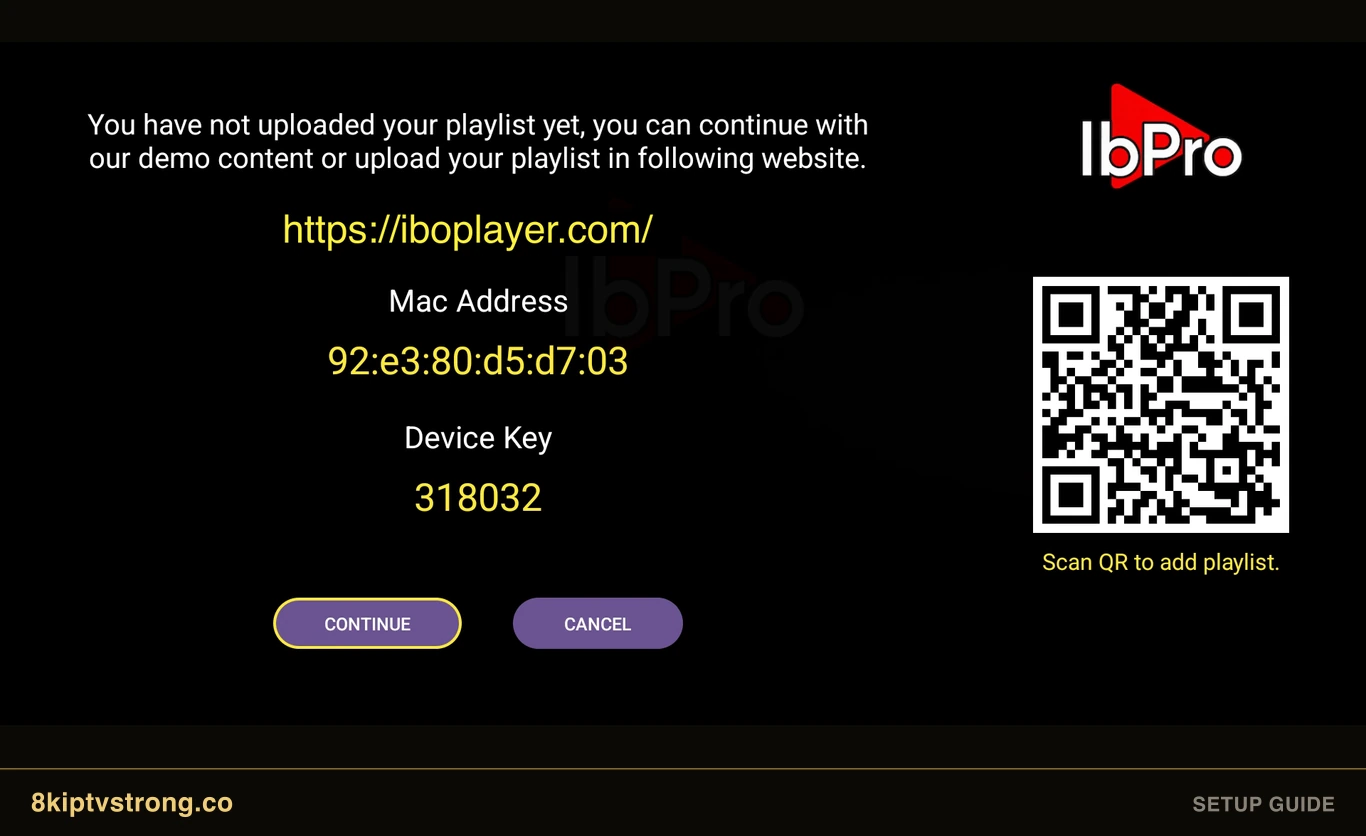
Keep the app open — if it closes, some players generate a different identifier. This is also the first thing to check when a player loads but the channel list stays empty.
Step 3 — Upload your playlist
You have two ways to get the subscription onto the TV, and the one you choose depends on which credential type your provider gave you.
Option A — Upload the M3U link through the player’s website
Most Tizen players expect you to visit their portal from a phone or laptop:
- Go to the player’s portal on another device — for IBO Player that is iboplayer.com.
- Enter the MAC address from step 2 and the device key shown beside it.
- Paste your M3U URL into the playlist field and save.
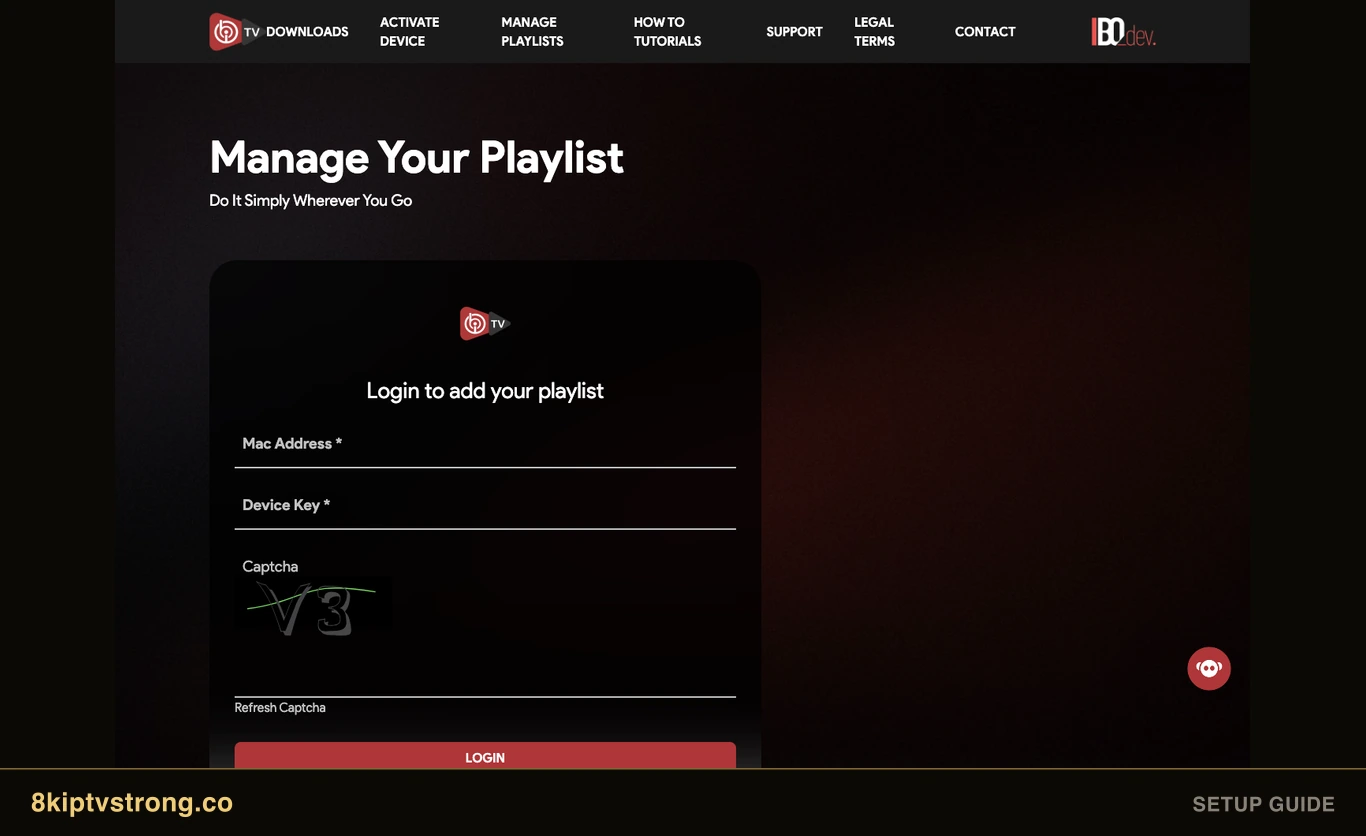
After login, choose Add XC Playlist for Xtream Codes details (host, username, password) or Add Playlist for a single M3U link, then press SAVE.
IBO Player activation is included on annual plans. IBO Player charges a one-time device activation of about €10 for the Device Key licence. Every 12-month 8K IPTV Strong subscription covers it free for 12 months — order the plan, send us the MAC address and Device Key, and we activate the device for you. Do not pay the in-app fee on an annual plan.
The channel list appears within about a minute.
Option B — Log in with Xtream Codes
If your provider supplied a server URL, username and password, the player can usually authenticate directly on the TV itself:
- Choose Xtream Codes or Xtream API instead of M3U.
- Enter the server URL exactly as given, including
http://orhttps://. - Enter the username and password.
This route is preferable when it is available, because the player can then refresh the guide and catch-up data on its own instead of waiting for the next manual update.
Step 4 — Load the EPG and organise channels
An electronic programme guide is separate from the channel list and needs its own URL.
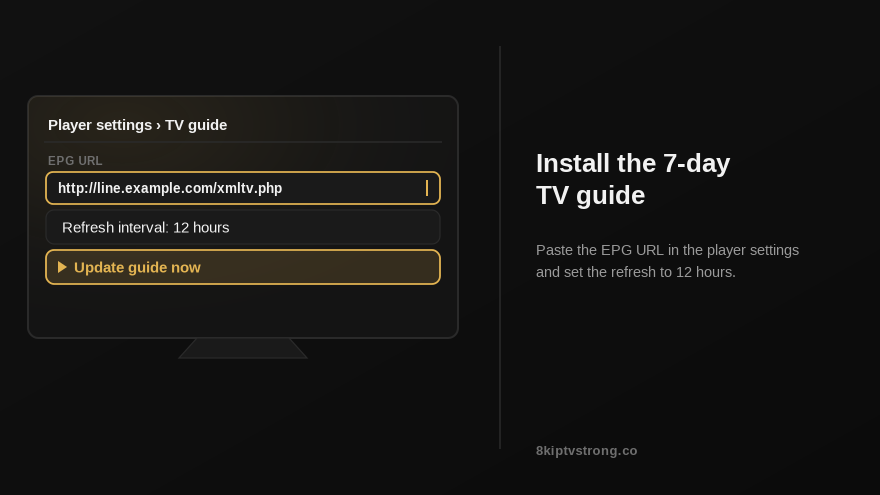
- Paste the EPG URL into the guide field in the player settings.
- Set the refresh interval to 12 hours.
- Hide the categories you never watch — most players let you disable whole groups, which makes the list far faster to browse.
Samsung IPTV not working — the two errors that stop most setups
“Playlist not found” or an empty channel list
Nine times out of ten this is a pasted URL problem: the link was copied with a trailing space, or a line break split it in two. Paste it into a plain text editor first, make sure it is one single unbroken line, then copy it again.
The other cause is a MAC address mismatch — the address you registered is not the one the TV is currently showing. Reinstalling the player changes it, so check the information screen again after any reinstall.
Channels load but nothing plays
This is almost always a network problem rather than an account problem:
- Test the same subscription on a phone on the same Wi-Fi. If it plays there, the account is fine.
- Switch the TV from 2.4 GHz to 5 GHz Wi-Fi, or connect a network cable.
- Check that your router is not running an aggressive DNS filter. Switching the TV’s DNS to
1.1.1.1fixes this surprisingly often.
How to install IPTV on a Samsung TV — quick answers
Does a Samsung TV need a separate box for IPTV?
No. Any Tizen set from 2016 onward runs IPTV players natively. A separate box only helps if you want a faster interface or your TV predates Tizen.
Which IPTV player is best for a Samsung Smart TV?
IBO Player has the most stable guide and the best catch-up support; Smart IPTV is the quickest to set up but charges a one-time activation per device. Both accept either an M3U link or Xtream Codes credentials.
Is the IBO Player activation free with my subscription?
The app is free to install, but IBO Player charges a one-time device activation of roughly €10. Every 12-month 8K IPTV Strong plan includes that activation free for 12 months — send us the TV MAC address and Device Key after ordering and we activate the device. On 1-month and 3-month plans it can be added separately.
Can I use one subscription on two Samsung TVs?
Only if your plan covers two simultaneous connections. A single-connection plan will drop one TV when the other starts playing, and the second set usually reports it as an authentication error.
Why is my guide showing the wrong times?
The EPG is usually delivered in UTC. Set the correct time zone in the player settings, then force a guide refresh.
Can I run IPTV on a Samsung TV without the app store?
Not directly. Samsung’s browser cannot open an M3U playlist, so a player from the store — or a streaming stick in an HDMI port — is required.
Keep going
Every step here works with the full channel list, so you can follow along on your own set during a free trial. If your set is older than 2016, the Fire TV Stick guide is the faster route, and M3U vs Xtream Codes explains which credential type to give the player.
- #samsung
- #smart-tv
- #setup
- #tizen
- #smart-iptv